Set up your K9 unit
Give your search dogs a real place on the team: their own roster, disciplines with expiry dates, availability their handler controls, a tick on every callout and RSVP, and a record of the work they do alongside their handler.
About 7 minutesStep 20 of 23 in team setup
Switch the unit on
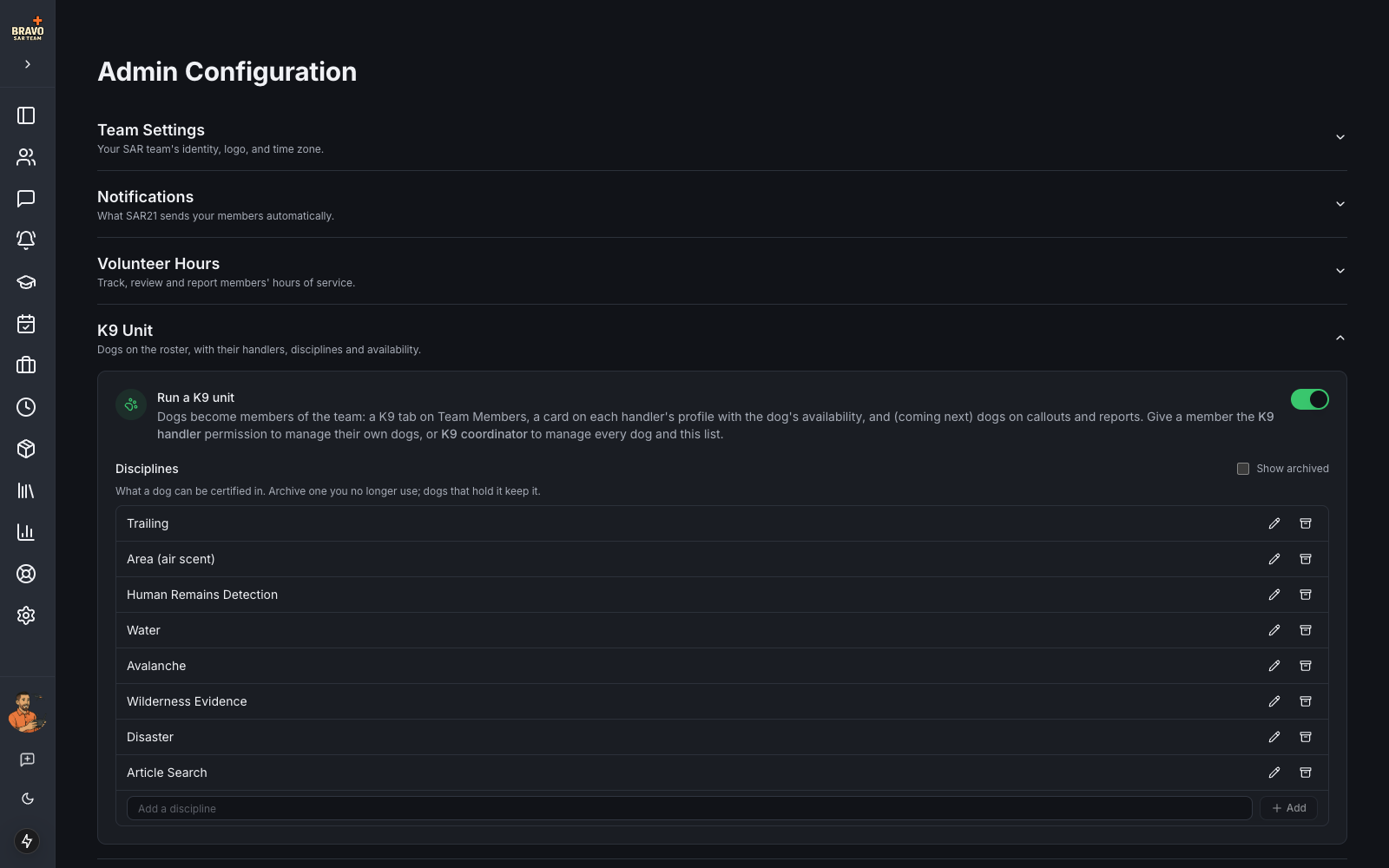
The K9 unit is an optional module, off by default, so a team without dogs never sees it. Sign in as an admin, open Admin Settings and expand K9 Unit. Flip Run a K9 unit and SAR21 seeds the common disciplines: Trailing, Area (air scent), Human Remains Detection, Water, Avalanche, Wilderness Evidence and Disaster.
Edit the list to match how your team certifies. Add a discipline your team uses, rename one, or archive one you no longer run. Archiving hides it from pickers; a dog that already holds it keeps it.
Decide who manages dogs
Two permissions control the unit. Open a member under Team Members, click Edit, and switch them on in the permission grid:
- K9 handler — can add and edit their own dogs, set their availability, and bring them on callouts, trainings and events.
- K9 coordinator — can add and edit every dog on the team and assign any dog to any handler. Give this to your K9 lead.
Admins can always do everything a coordinator can. Agency accounts can see the roster but never a dog’s vet details.
Add your dogs
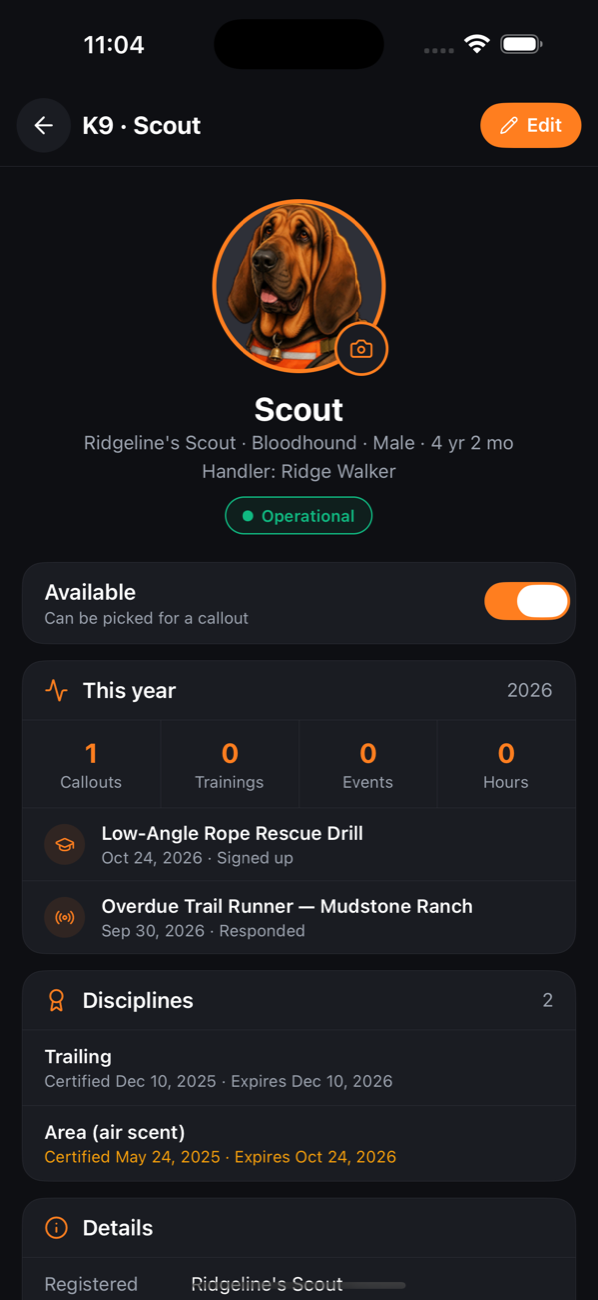
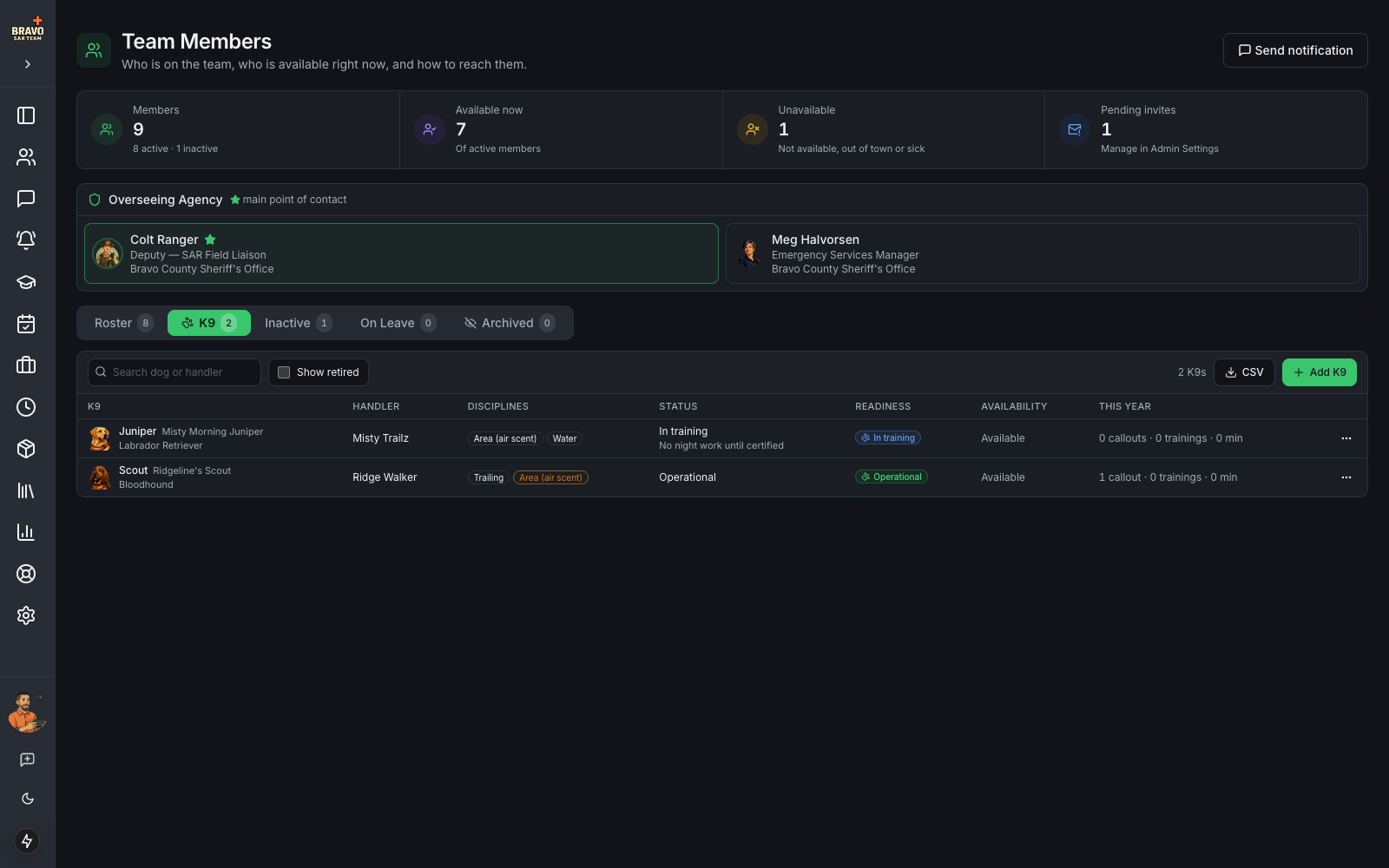
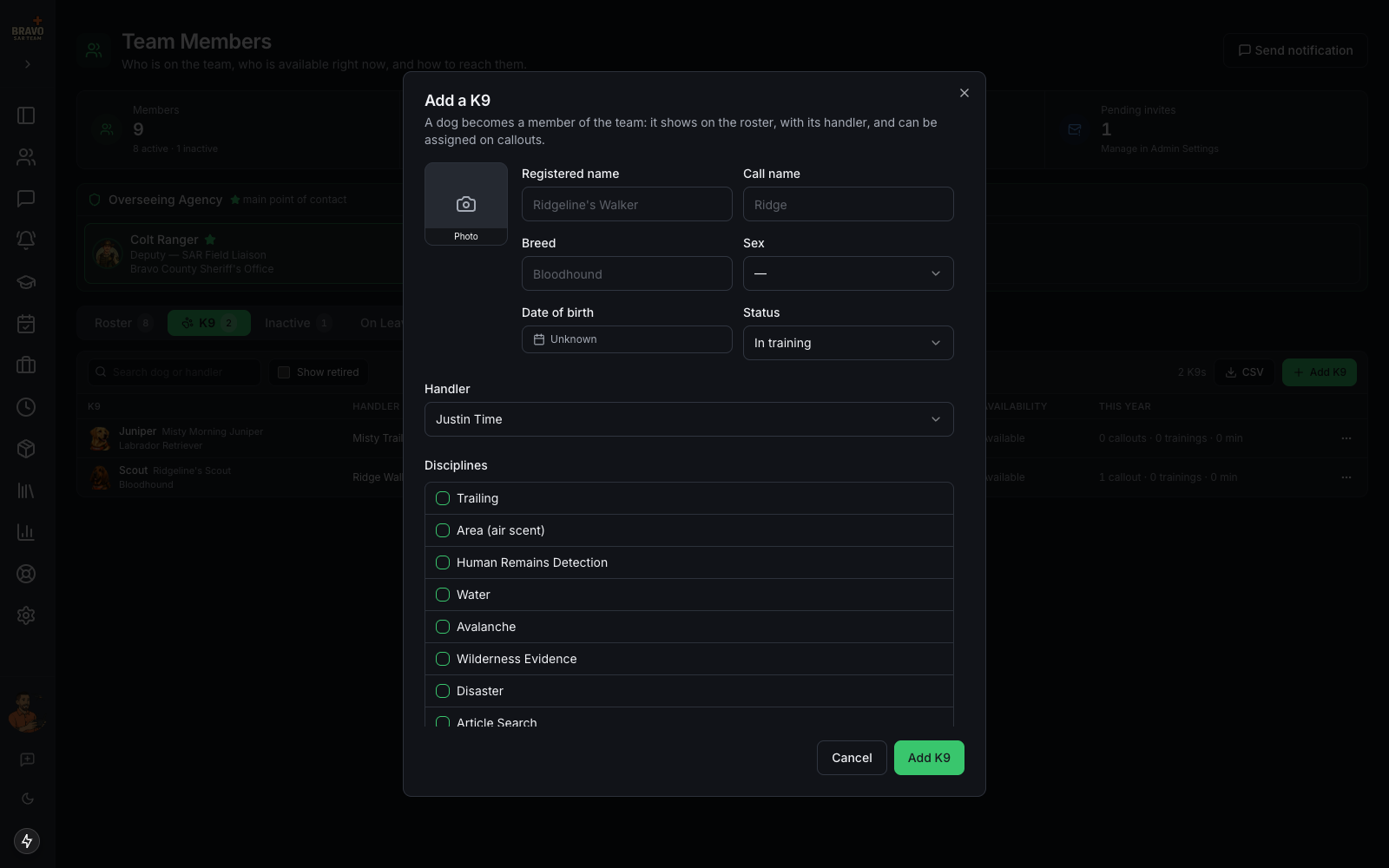
Team Members now has a K9 tab beside Roster. Click Add K9 and fill in the registered name, call name, breed, sex, date of birth, handler and status. Tick each discipline the dog holds and, where it applies, the date it was certified and when that certification expires. Add a photo; it shows everywhere the dog does.
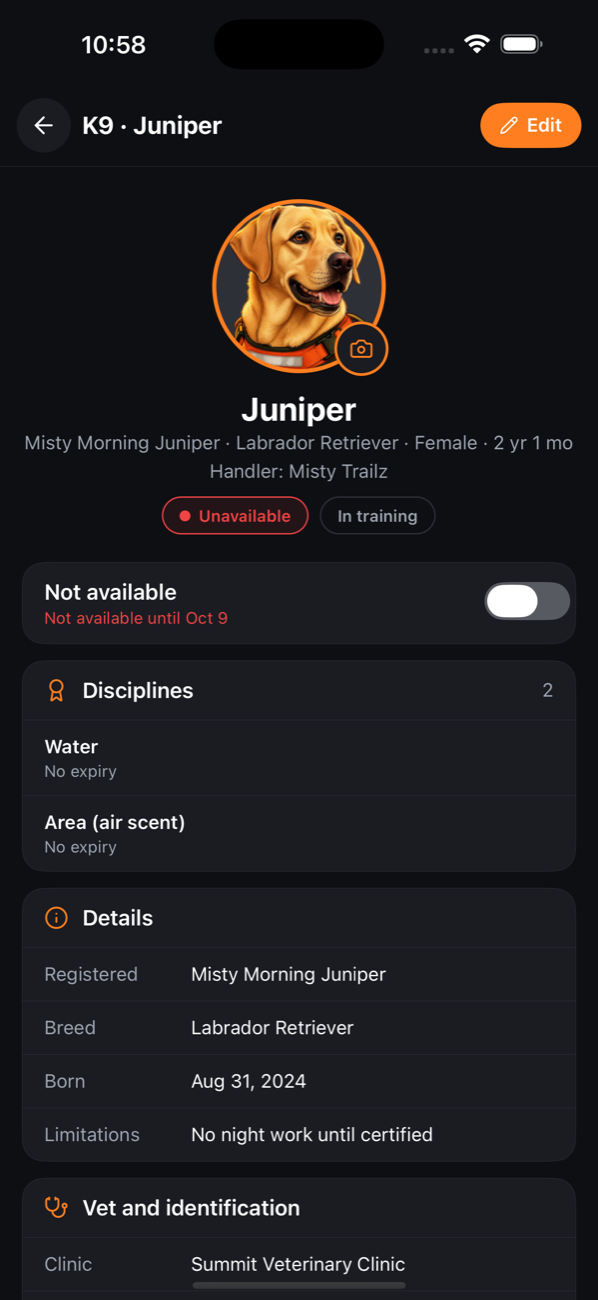
Status is what the dog is right now: In training, Operational, Limited duty or Retired. Limitations is a free line for “no water work” or “light duty until Oct 20”. Vet and identification holds the clinic, phone, microchip and anything a vet should know, and is only shown to team members.
Read readiness at a glance
Every surface colours a dog the same way, from one rule. Operational (green) means the dog can go. Limited (amber) is limited duty, or an operational dog whose only certifications have lapsed. In training (blue) is not yet deployable. Unavailable (red) is a handler’s availability window, with the reason and return date. Retired is grey.
A discipline within 30 days of expiry shows amber on the dog’s row and page, and an expired one shows red, so a coordinator can see what needs renewing without opening each dog.
Handlers show a paw mark and the dog’s call name beside their own name on the main roster, so you can see at once who runs a dog.
Handlers keep availability current
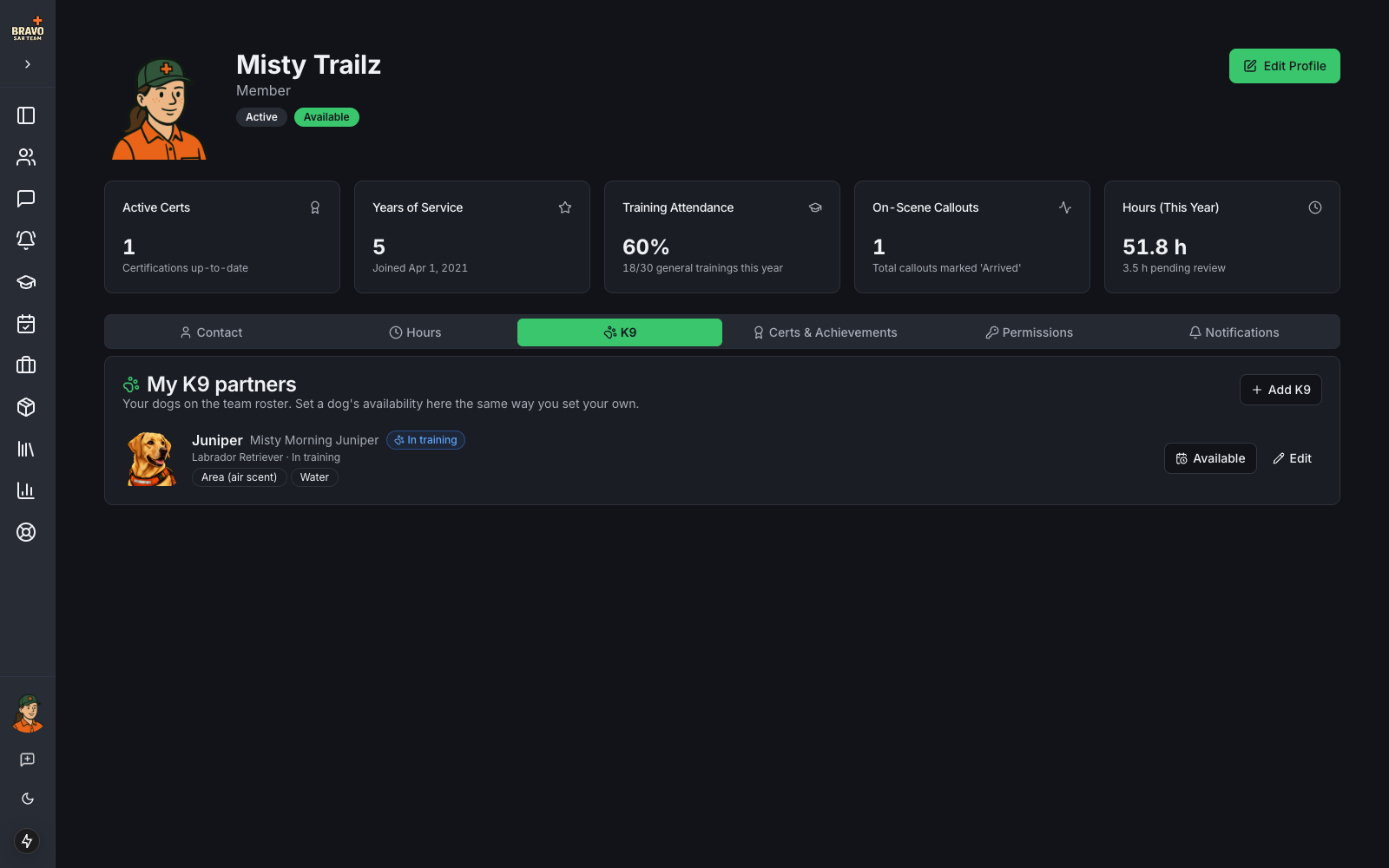
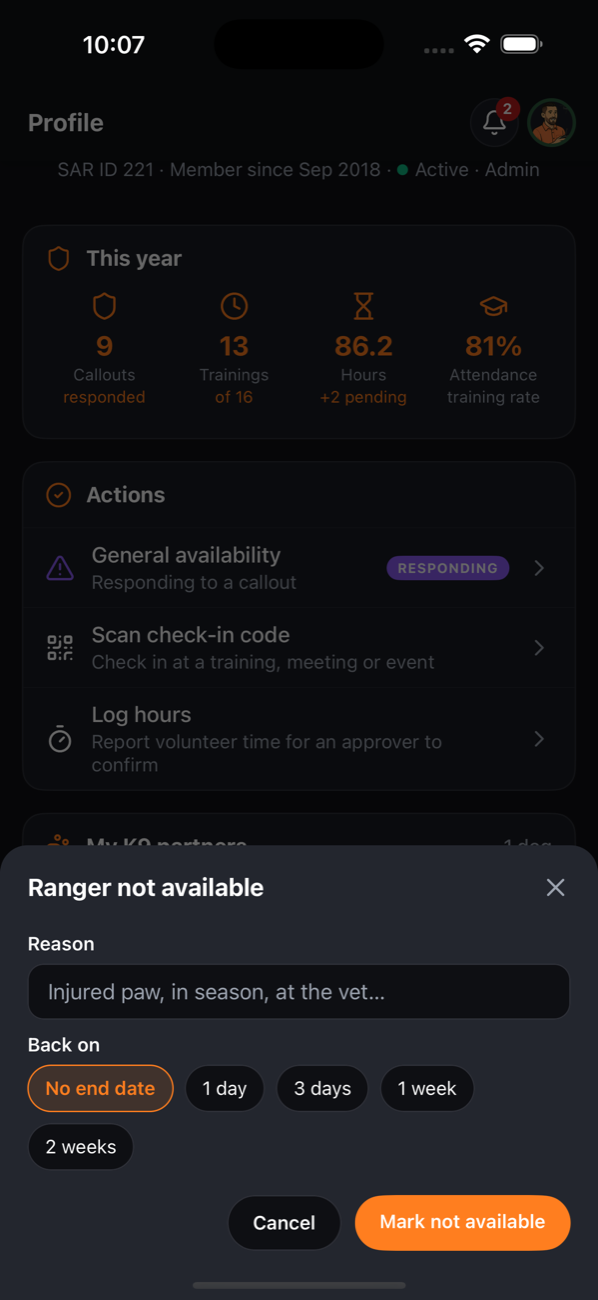
A handler’s own profile gains a K9 tab with each of their dogs. The Available button works like the member’s own availability: tap it, give a reason and a return date, and the dog reads Unavailable until then. When the date passes the dog is available again automatically.
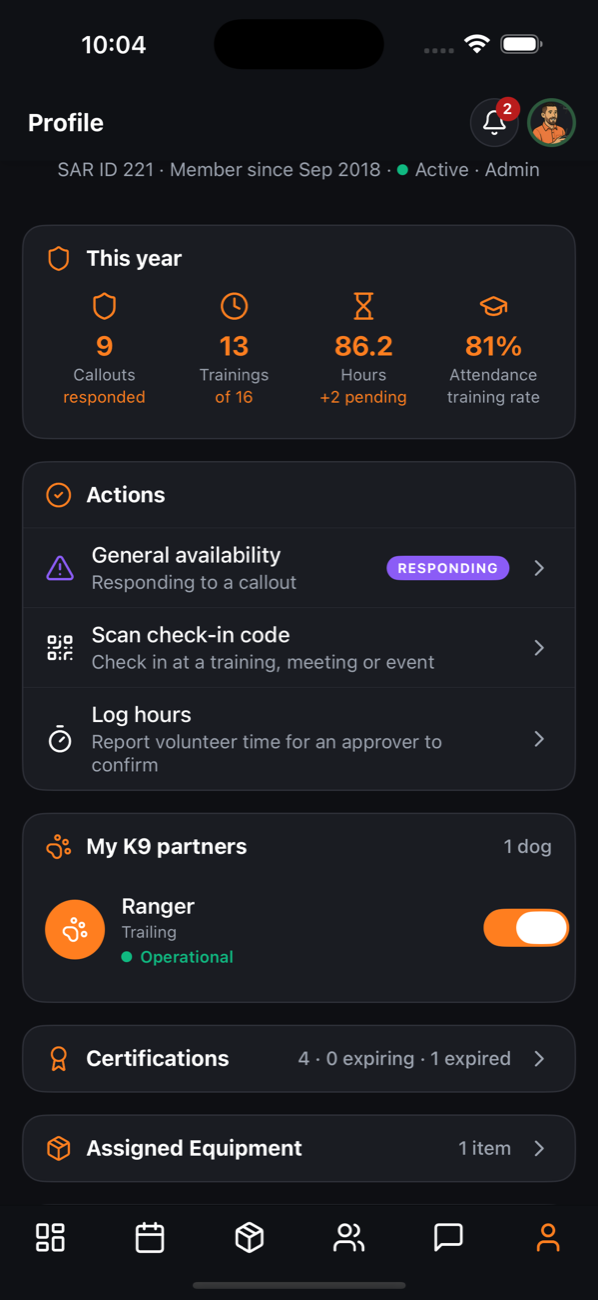
On the mobile app the same card sits on the handler’s Profile tab with a switch per dog. Tapping the dog opens its page, where a handler can change the photo, edit details and vet information, and set availability.
Bring the dog on a callout
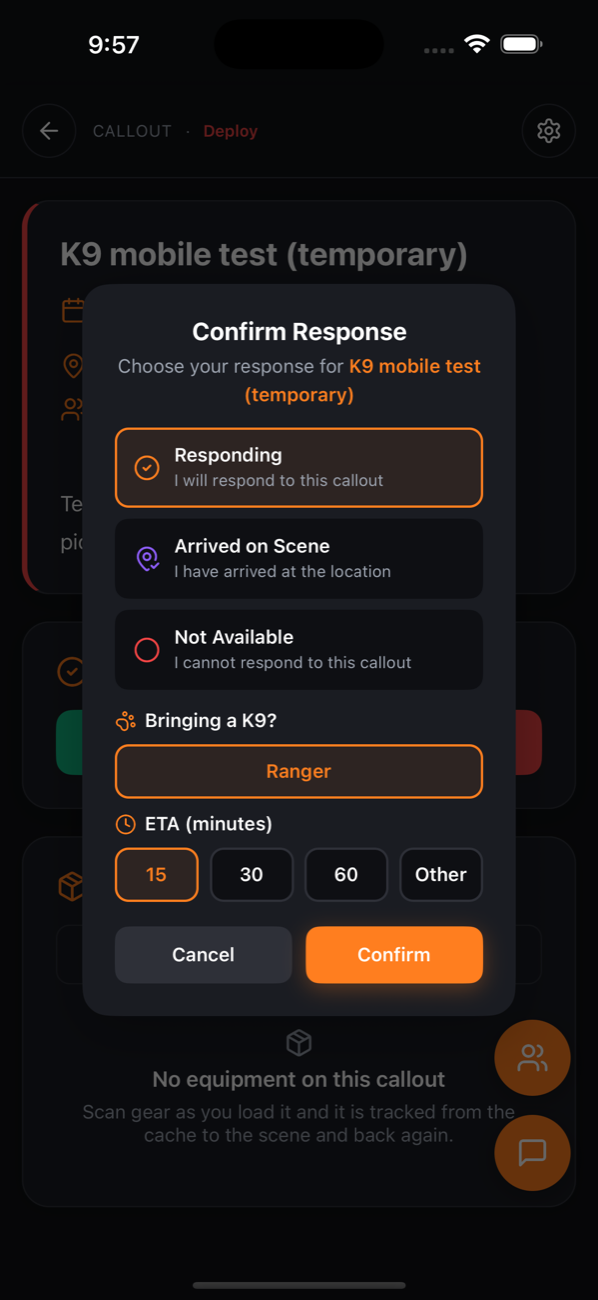
When a handler responds to a callout, the response sheet asks Bringing a K9? with a chip per dog. Only the handler’s own dogs are offered, and a dog that is not operational says why beside its name so the handler can still bring it knowingly.
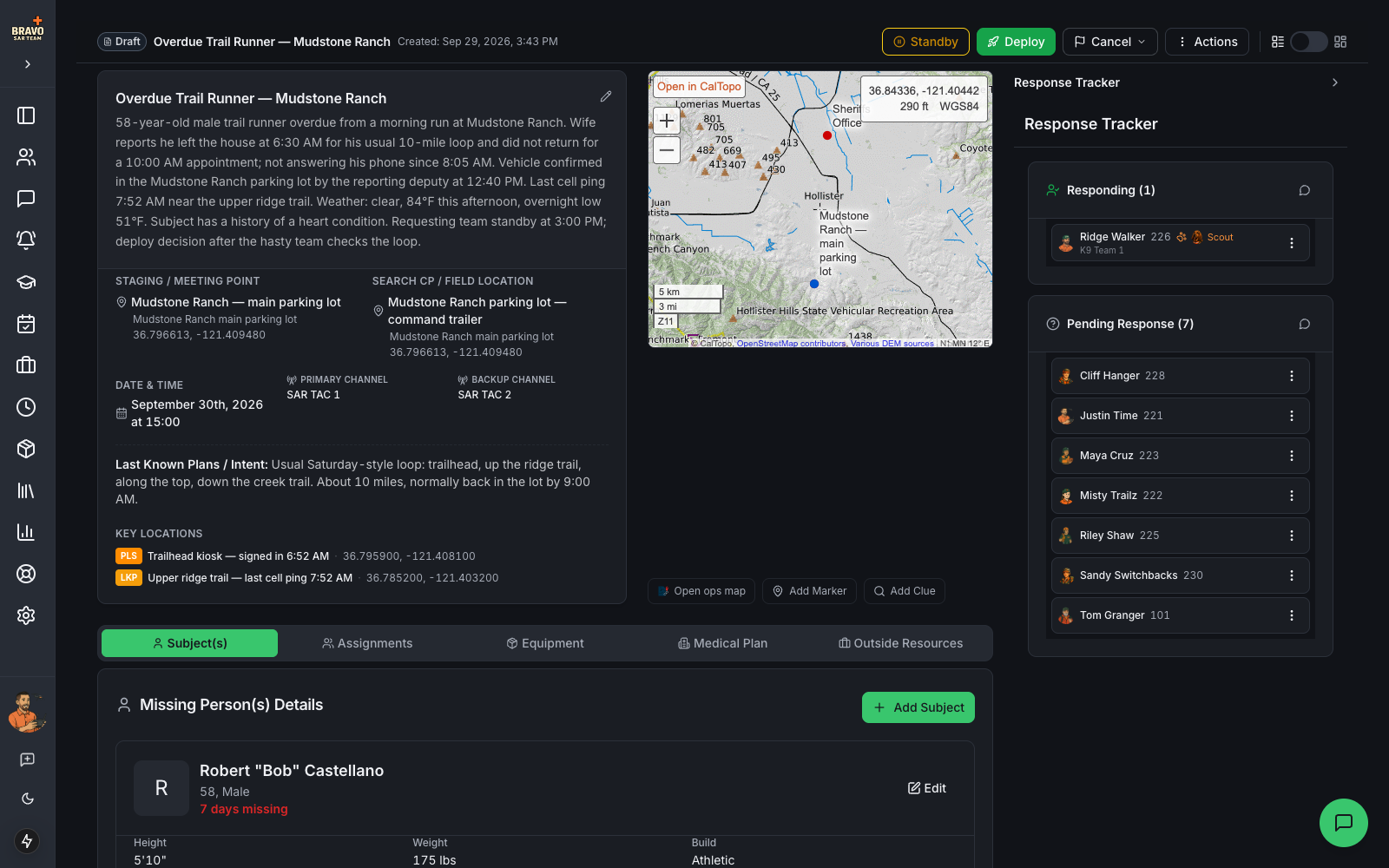
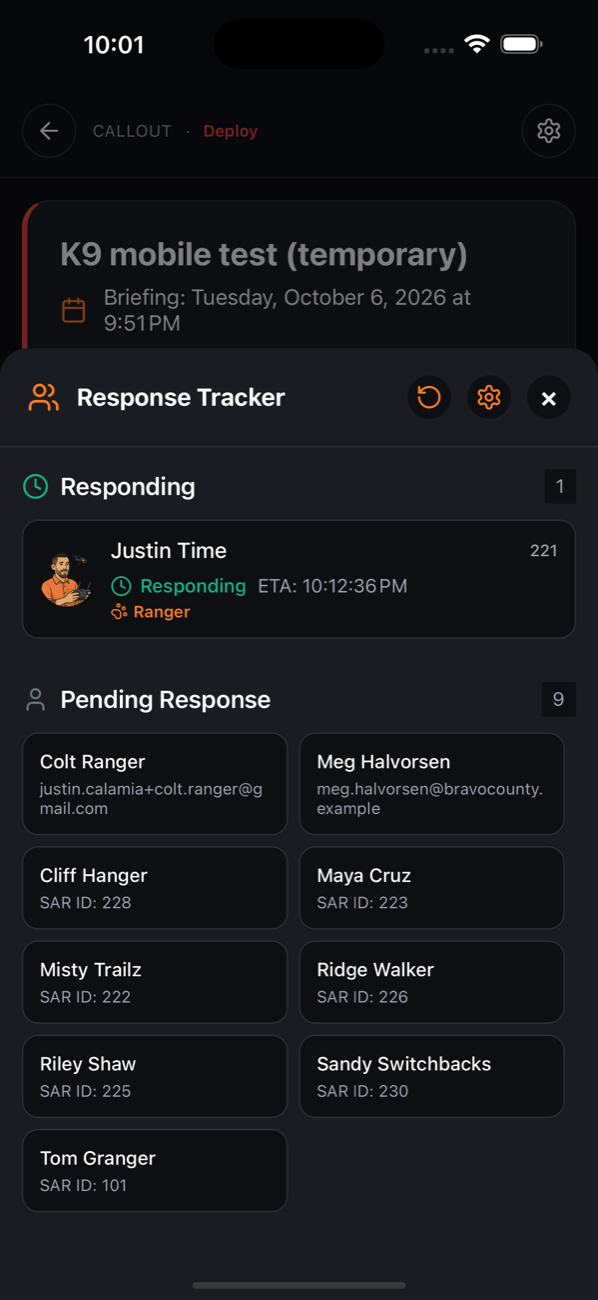
The response tracker shows a paw mark and the dog’s call name under the handler, on the web and in the app. Field teams can be given a dog as well as members, and the callout report lists dogs under personnel and under each team.
Bring the dog to trainings and events
The same Bringing a K9? chips appear beside the RSVP on a training or event, on the web and in the app, once the handler has marked themselves attending. The attendance list then shows the dog under its handler, so a trainer setting up water lanes knows how many dogs are coming.
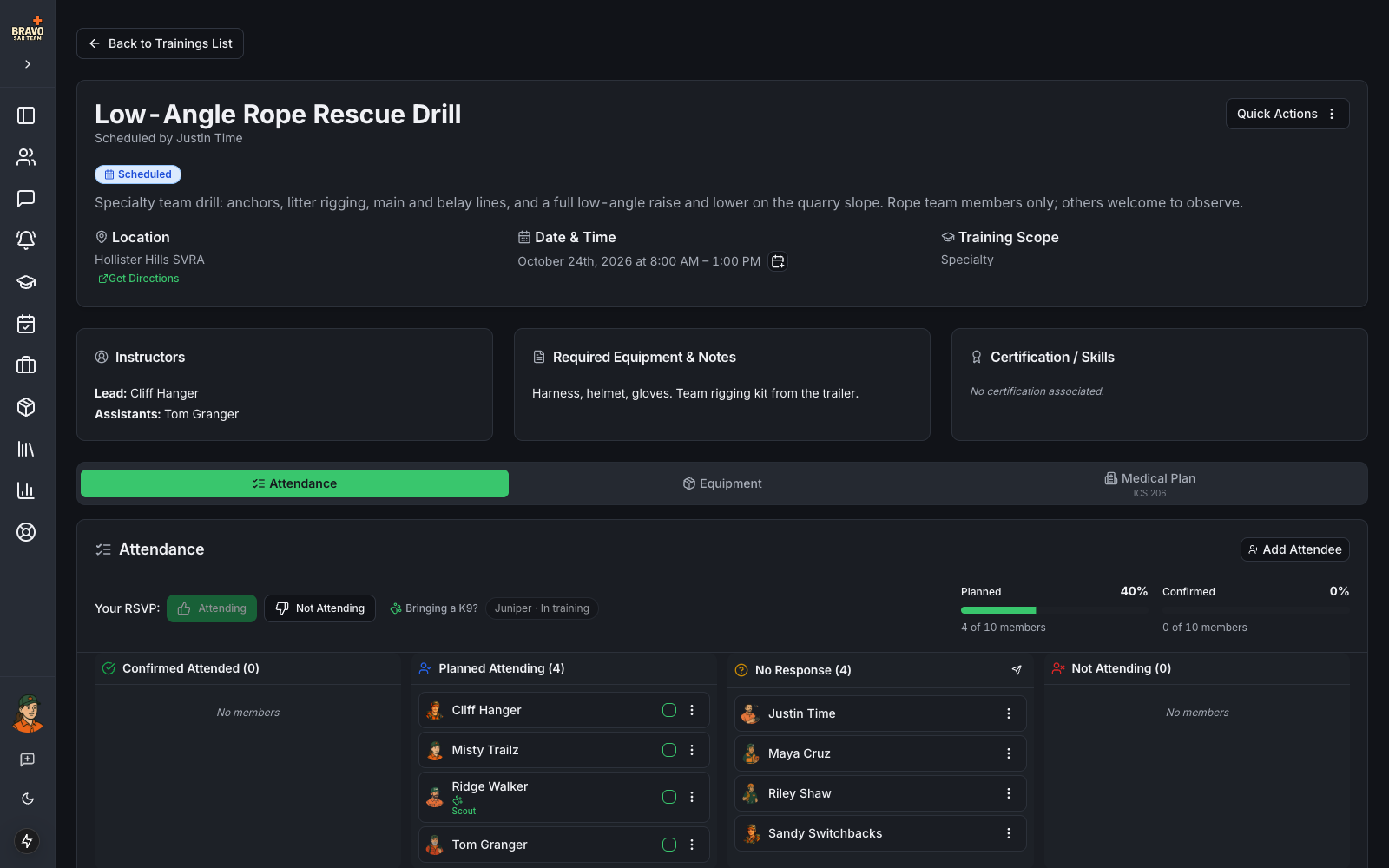
The dog’s record of work
Nothing is logged for a dog separately. Every callout response and every training or event RSVP that lists the dog becomes a line in its record, with the handler’s outcome (on scene, responded, attended, signed up) and the handler’s approved hours on that record. The dog’s page in the app shows this year’s callouts, trainings, events and hours with the recent lines underneath, and the K9 tab shows the same counts in its This year column.
Because the record is derived from the handler’s own responses, RSVPs and approved hours, it can never disagree with them, and there is nothing extra for an approver to review.