Generate AI Behavior Insights
Turn the case details you already entered — subject profile, clues, urgency score — into a lost-person behavior analysis with prioritized search areas and concrete tactics.
About 3 minutesStep 19 of 23 in team setup
One click, all your case data
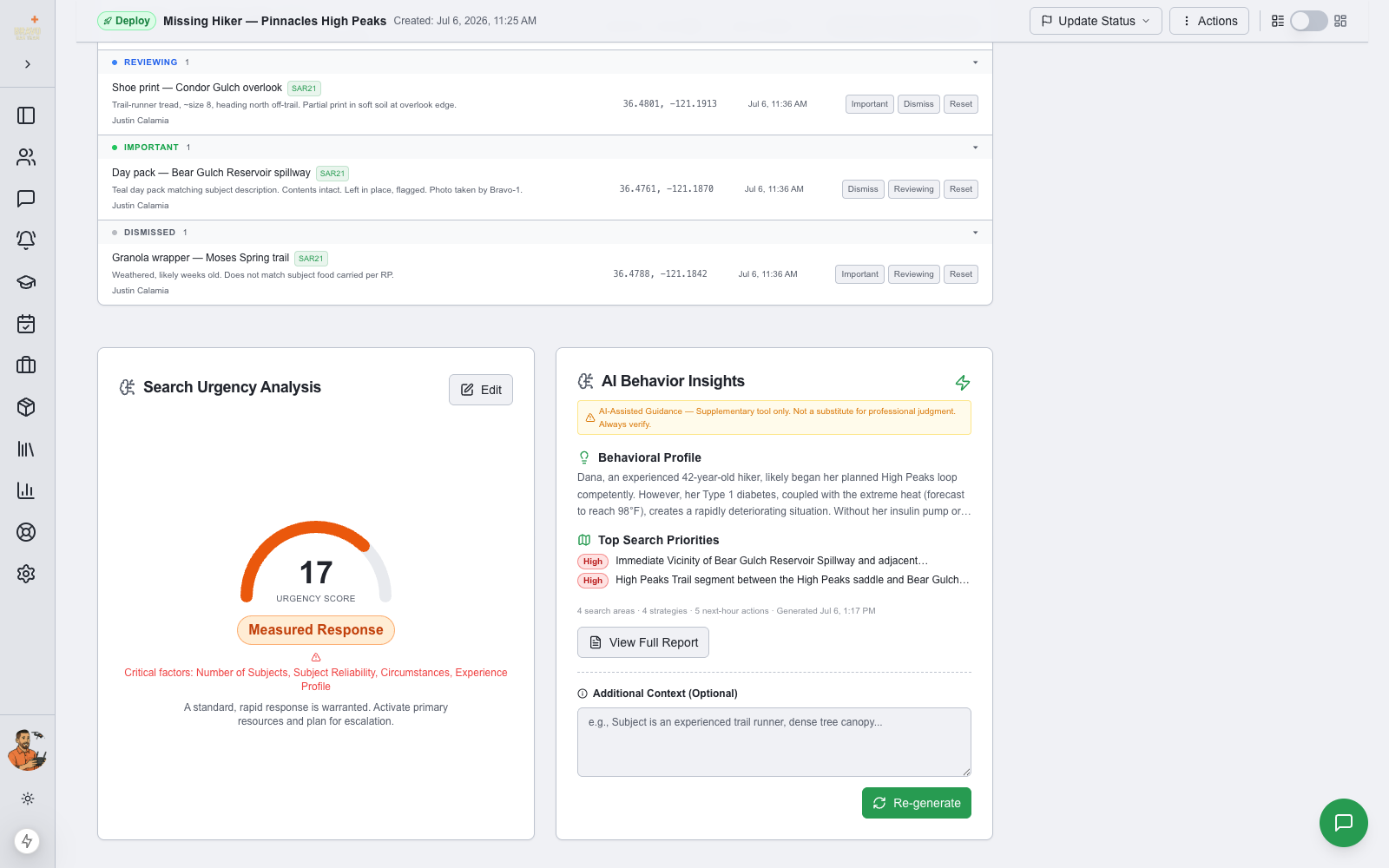
On the callout Subject(s) tab, the AI Behavior Insights card sits beside the Search Urgency Analysis. Click Generate Insights and SAR21 assembles everything already on the callout — the full subject profile, the callout narrative, active clues with coordinates and timestamps, your urgency assessment, and how long the subject has been missing — and asks an AI model grounded in lost-person behavior research to analyze it.
Use the Additional Context box for anything not captured elsewhere: incoming weather, terrain conditions, or details from witness interviews.
AI guidance is a supplementary planning tool — not a substitute for professional judgment. Always verify against your team’s training and the facts on the ground.
Scan the summary, open the full report
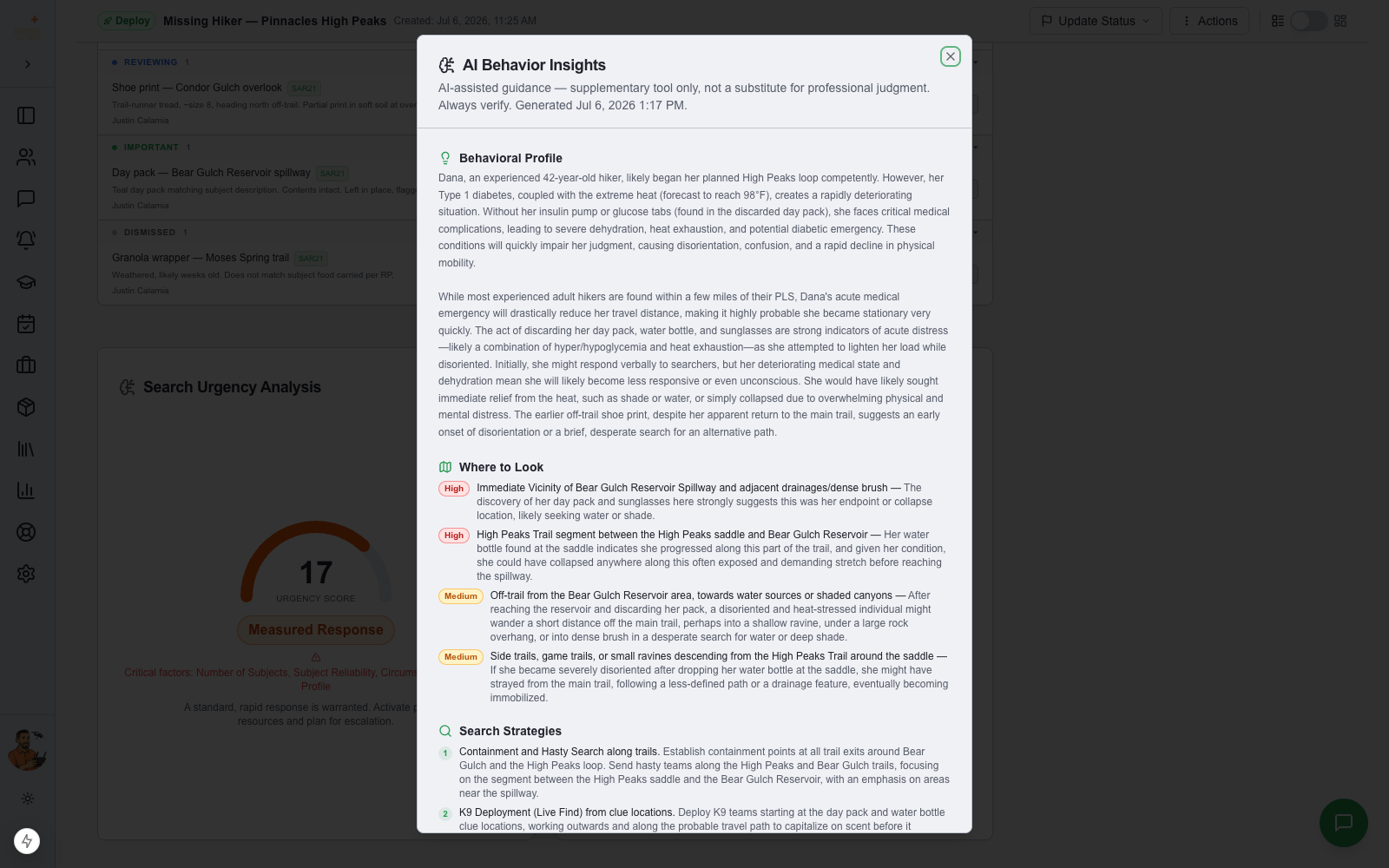
The card stays compact: a snapshot of the behavioral profile, the top-priority search areas, and a count of what the full analysis contains. Click View Full Report for the complete five-section report, built for an incident commander: a Behavioral Profile of how this subject category typically behaves, Where to Look — specific location types ranked High / Medium / Low and tied to your actual clue locations — numbered Search Strategies, a Next Hour checklist of immediate command actions, and Key Unknowns: the questions whose answers would most sharpen the picture.
The analysis references your real data. If field teams logged a shoe print heading north, the location priorities follow it; if the subject is diabetic and the day pack was found abandoned, the profile accounts for it.
Saved with the callout
Generated insights are saved to the callout record automatically, with a timestamp and the context you provided — so the whole command team sees the same analysis, and it survives page reloads and shift changes. As clues come in or details change, click Re-generate for a fresh analysis based on the current picture.