Set your general availability
A one-tap heads-up that answers the question command asks before every callout: if we page the team right now, who could actually respond?
About 3 minutesStep 3 of 23 in team setup
What general availability means
General availability is a member’s standing answer to one question: in the event of a callout, would you likely be able to respond? It’s not a commitment to respond — that happens per-callout when an alert goes out. It’s a heads-up: you’re in town, you’re not sick, you’re generally reachable.
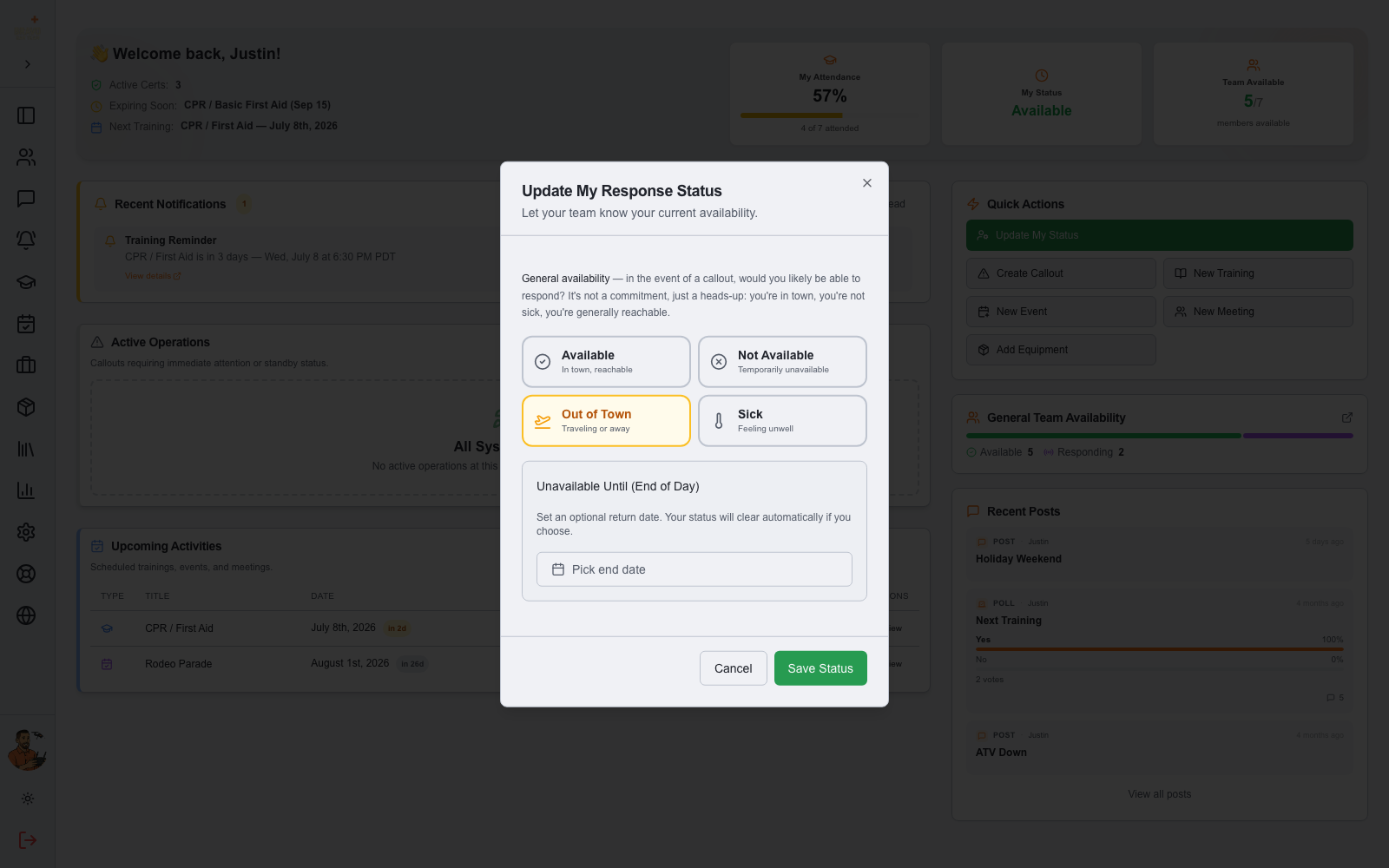
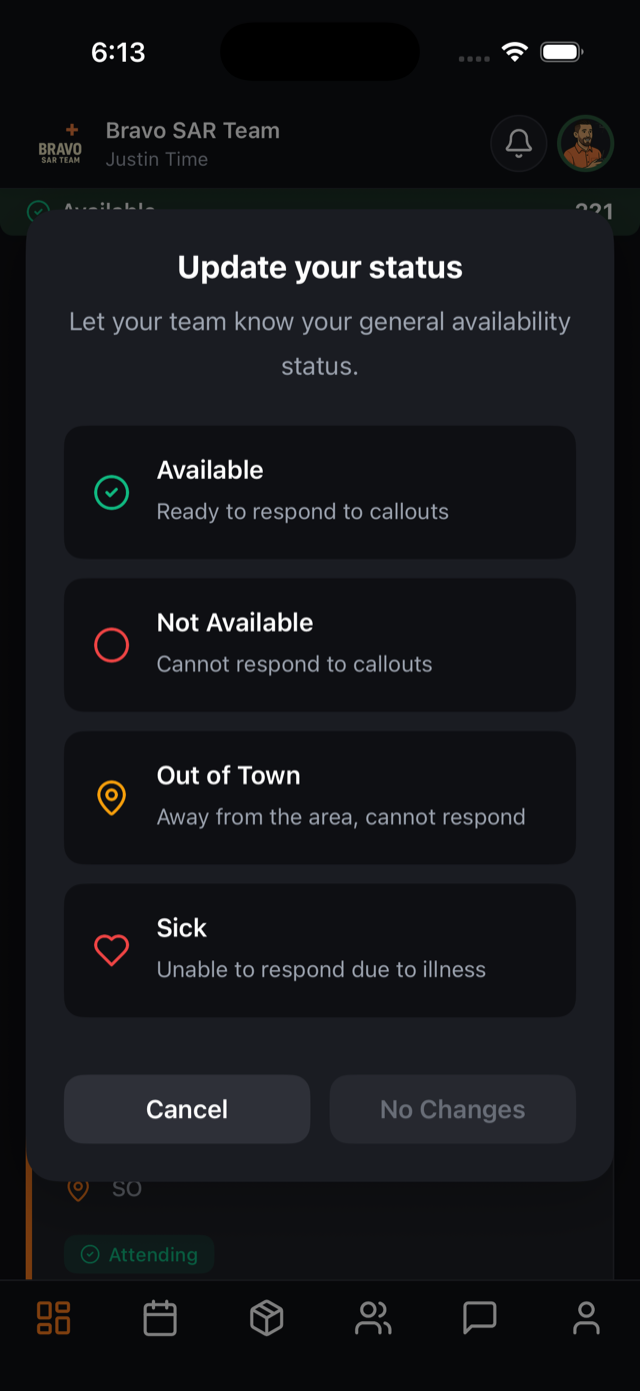
There are four statuses, each with a clear meaning:
- Available — in town and reachable
- Not Available — temporarily unavailable (work shift, family commitment)
- Out of Town — traveling or away
- Sick — feeling unwell
A fifth status — Currently Responding — is set automatically while a member is active on a callout, and reverts to their chosen availability when the mission ends.
How members update it
From the web dashboard, click Update My Status in Quick Actions; on mobile, tap the status bar at the top of the app. Pick a status and save — two taps, done.
Choosing an unavailable status offers an "Unavailable Until" date: set your return date and check the auto-switch option, and SAR21 flips you back to Available automatically when you’re home. Going on vacation? Set it once at the airport and forget it.
Make it a team habit
Availability is only as good as it is current. The habit to build: update your status whenever your week changes — leaving town, getting sick, starting a stretch of long work shifts. Because it takes seconds on the phone, most teams fold it into the routine: walk out the door for vacation, set Out of Town.
Why it matters to management
The dashboard’s General Team Availability card totals it up live: how many members could respond right now, broken down by status. Before a callout is even created, command knows whether they have twenty potential responders or five — which can shape the decision to request mutual aid early.
It also keeps alerts clean. When you dispatch a callout from the Mission Alert Center, the Hide Unavailable filter (on by default) skips members who’ve said they can’t respond — so pages go to people who might actually come, and members on vacation aren’t woken by critical alerts they can’t act on.