Send callout notifications
Dispatch critical alerts by push and email from the Mission Alert Center, target groups or individuals, and watch responses land in real time.
About 5 minutesStep 14 of 23 in team setup
Open the Mission Alert Center
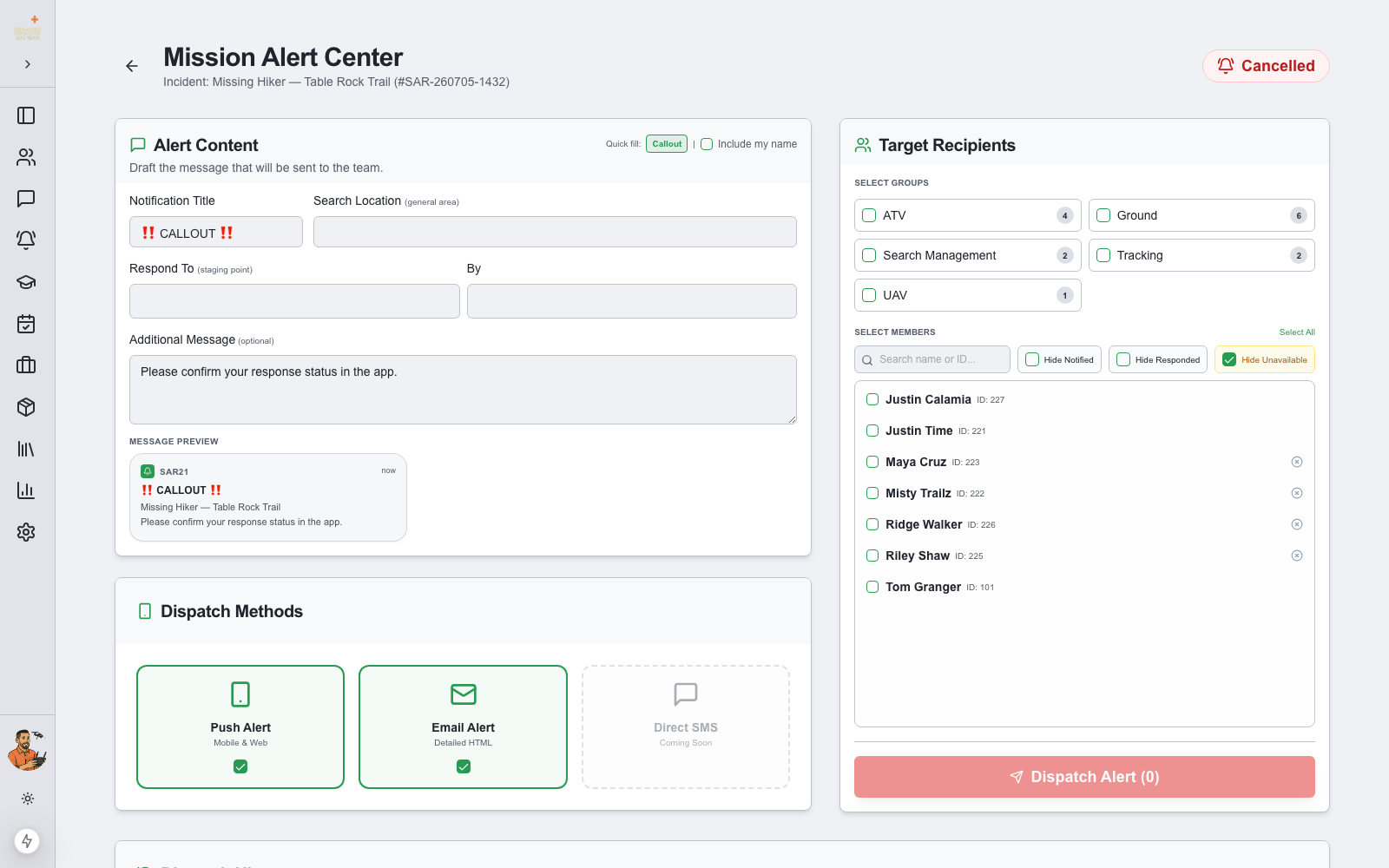
From the callout page, choose Notify Team. The Mission Alert Center drafts the alert for you — title, response location, and message are pre-filled from the callout, with a live preview of exactly what members will see. Adjust anything before sending.
Pick recipients
Target the alert precisely: select whole Callout Groups (your K9 unit, ground team, UAV pilots), pick individual members, or hit Select All. Filters let you hide members who are unavailable, already notified, or who have already responded — perfect for follow-up waves.
Dispatch
Choose your channels — Push Alert (mobile and web) and Email Alert — and click Dispatch Alert. Push alerts are built to be heard: on members’ phones they’re critical alerts that break through Do Not Disturb and silent mode.
Every dispatch is logged in the notification history with who sent it, when, and to how many recipients.
Watch responses in real time
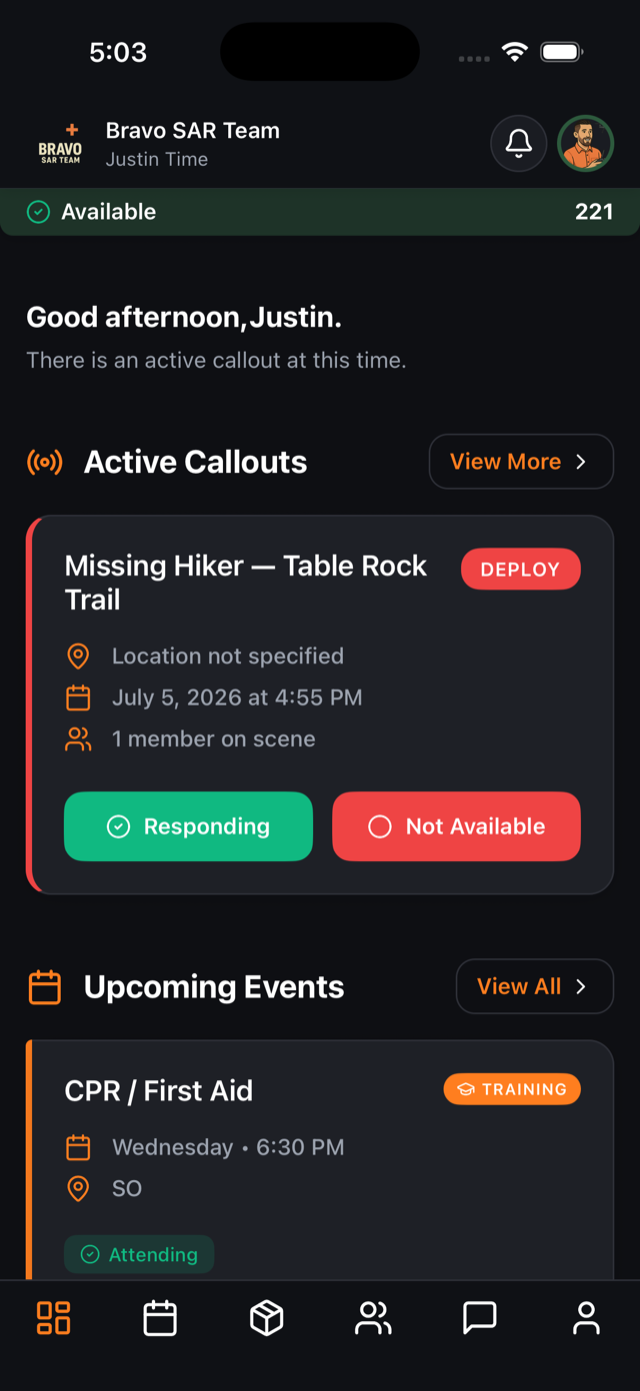
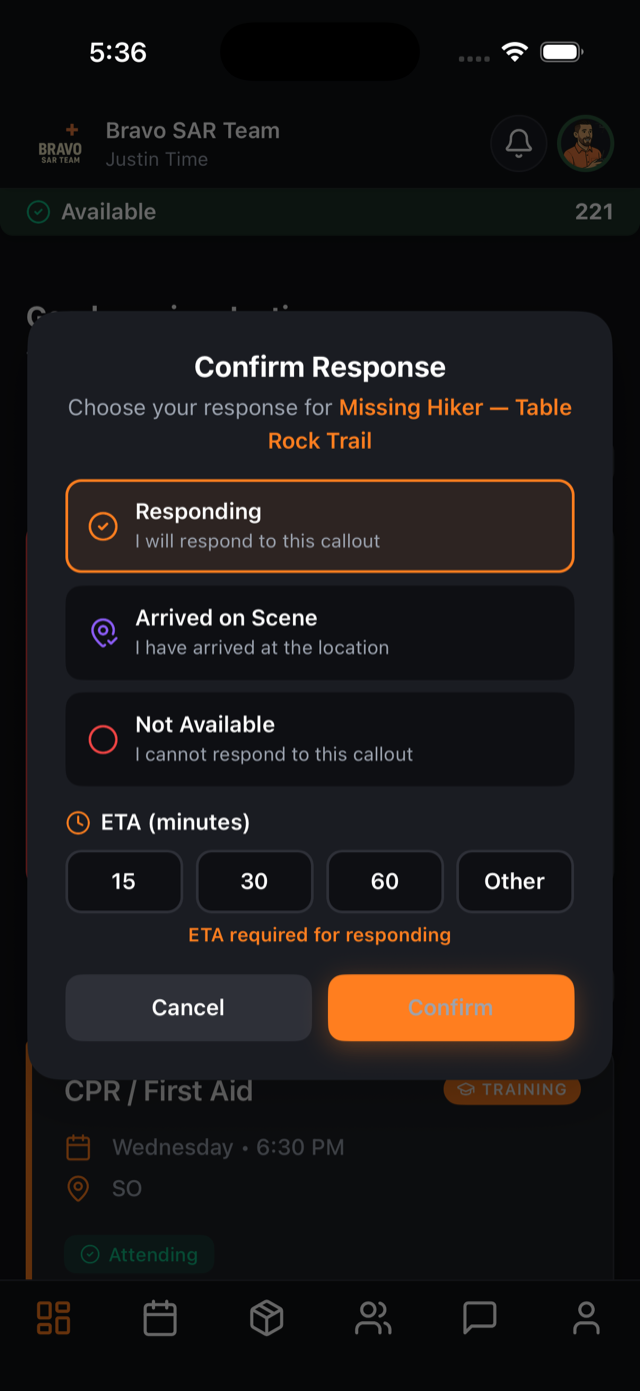
Members tap the alert and answer in seconds — Responding (with an ETA), Standby Available, or Not Responding. Answers stream into the Response Tracker on the callout page, so command knows headcount and arrival times before anyone reaches staging.