Create trainings
Schedule general or specialty trainings with instructors, equipment, linked certifications, and recurrence — members RSVP from the web or mobile app.
About 5 minutesStep 9 of 23 in team setup
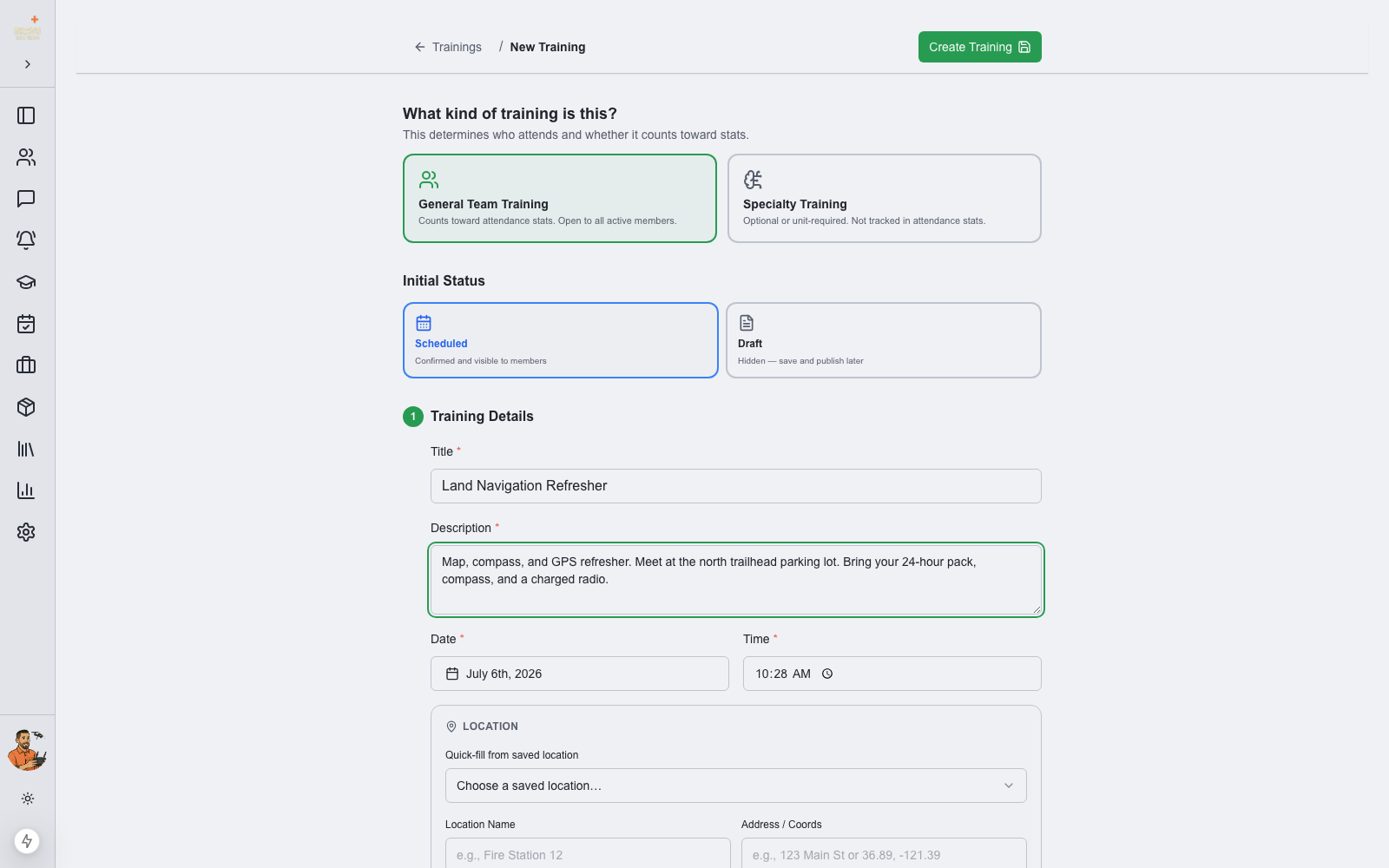
Start a new training
Go to Trainings and click New Training (or use the Quick Actions card on the dashboard). Two choices frame everything else:
- General Team Training — open to all active members and counted in team attendance stats
- Specialty Training — for a specific group or unit; not counted in the team-wide attendance percentage
- Initial Status — Scheduled (visible to members immediately) or Draft (hidden until you publish)
Fill in the details
Give the training a title, description, date, and time. For location, pick one of your Saved Locations from the quick-fill dropdown or type a new one. Assign a lead instructor and any assistant or external instructors, and note required equipment.
Link certifications and skills
Associate a certification and SAR21 closes the loop on compliance: set the expiry window (e.g. 12 months) and enable auto-update, and every member whose attendance is confirmed gets their certification renewed automatically when the training is completed. You can also tag the skills the training covers to track skill currency across the roster.
Repeat it automatically
For standing trainings — a monthly team night, a weekly fitness session — check Is Recurring and choose the number of occurrences and interval (daily, weekly, bi-weekly, or monthly). SAR21 creates the whole series in one click.
Members get a push notification when a training is scheduled, and reminders before it starts. They can RSVP from the notification, the web app, or the mobile app.